
Inventory Dashboard, Stock Summary & Valuation
Know what your stock is worth in Skyline Nexus ERP: the Inventory Dashboard, the Stock Summary with cost and margin per product, the Stock Valuation at purchase and sale price, and stock per location.
In this video
- Read the inventory dashboard: low, out of stock, dead stock, fast movers
- See stock, cost, value and margin per product
- Value the stock at cost and at selling price, per location
All Reports videos
-
 2:16
Lesson 1
How to Use Any Report (Filters, Export, Print)
Every report in Skyline Nexus ERP works the same way: filters at the top, a table you can sort and search, and Excel, PDF and Print buttons. Learn the pattern once and every report makes sense.
-
 1:45
Lesson 2
Daily Close-Out Reports (Daily, Purchase & Sale, Register)
Close the day with three reports in Skyline Nexus ERP: the Daily Report for today's sales, purchases and VAT, the Purchase and Sale Report for any period, and the Register Report for each cashier's drawer.
-
 1:46
Lesson 3
Sales Analysis: Product Sale Report & Sale Payments
Find out what sells in Skyline Nexus ERP: the Product Sale Report by product, by date, by category and by brand, with its purchase-cost view, and the Sale Payment Report that lists every customer payment.
-
 1:45
Lesson 4
Purchase Analysis & Supplier Cost Variance
See what you bought and from whom in Skyline Nexus ERP, list supplier payments, and compare the prices different suppliers charged for the same product with the Supplier Cost Variance report.
-
 1:44
Lesson 5
Customer, Supplier and Sales Representative Reports
Three people-centred reports in Skyline Nexus ERP: totals and amounts due per customer and supplier, sales per customer group, and what each sales representative sold.
-
 1:35
Lesson 6
How to Prepare the VAT Return Form
Prepare the VAT return in Skyline Nexus ERP: open a new form for the period, import the sales and purchases into the boxes, save it, and print it ready for filing.
-
 1:11
Lesson 7
Expense Report by Category
See where the money goes in Skyline Nexus ERP: the Expense Report totals expenses per category for any period and location, and exports the table.
-
 1:46
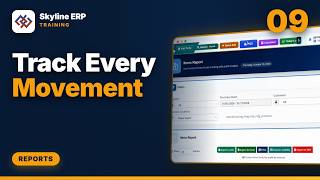
Lesson 9
Stock Movement, Stock Ledger and Opening & Closing Stock
Follow every unit in Skyline Nexus ERP: the Stock Movement Report with each transaction, the Items Report that matches purchases to their sales and profit, and Opening and Closing Stock for a period.
-
 2:02
Lesson 10
Reorder, Dead Stock, Over Stock and Damage Reports
Keep the shelves right in Skyline Nexus ERP: what to reorder and how much, which items are dead or overstocked, and what was lost to adjustments, damage or expiry.
Get certified in Skyline Nexus ERP for 199 SAR or 49 USD
Show employers and clients that you can run daily sales, purchasing, stock and customer and supplier accounts in an ERP. Preparing for the exam improves your accounting practice: invoices, credit and debit notes, opening balances and ledgers, done the way real companies do them.
- An online exam on the four modules: products, contacts, sales and purchases
- Practice tasks on a demo company before the exam
- A Skyline certificate in your name with its own certificate number
- For accountants, bookkeepers, cashiers, sales and purchasing staff, students and business owners
199 SAR 49 USD
199 SAR in Saudi Arabia, or 49 USD from any other country. Prices exclude VAT; 15% VAT is added for buyers in Saudi Arabia.
Enrol for the certification
Send your details and we reply by e-mail with the payment link and your exam access.