
The instinct to edit, and why it is usually wrong
Someone types the wrong quantity on an invoice. The natural response is to open the invoice and fix it. In a spreadsheet that is correct. In an accounting system it usually is not, and understanding why saves a great deal of trouble later.
A posted document is not just a record of what you meant. It is the parent of several other records: stock movements, a customer balance, a journal entry, possibly a filed tax document held by a tax authority, possibly a payment. Editing the parent means every child has to be found and adjusted too. Skyline Nexus does in fact do this, and does it carefully, but the result is a history in which the document says one thing today and said another yesterday, with the reason for the change nowhere on the document itself.
The alternative is to leave the original alone and record a second document that says what changed and why. That is what a credit note is. That is what a reversing journal entry is. Both leave a trail an auditor, or you in six months, can follow. The general rule is: correct by addition, not by amendment, and reserve editing for documents that have not yet done anything.
Four mechanisms, in order of preference
There is no separate void action for sales and purchases. That is a real answer, not an omission from this guide: nothing marks a sale or a purchase as voided while leaving it in place, and the document status values do not include a cancelled state. What exists instead is the deletion path, which is far more careful than a hard delete and is described below, and the return and note documents, which are the accounting-correct way to cancel something that already happened. Payroll is the exception and does have a proper cancellation, covered in the payroll guide.
- Edit: change the document itself. Appropriate for a draft or quotation, or for a genuine typo on a document that has not been paid, returned or filed.
- Credit note or debit note: a new document that reverses part or all of an original. The correct answer for a sale or purchase that has been finalised.
- Reversing journal entry: for an entry made directly in the ledger, or where a source document is right but its posting was not.
- Delete: removes the document. The last resort, appropriate for something recorded entirely in error that never should have existed.
Editing a transaction, and what stops you
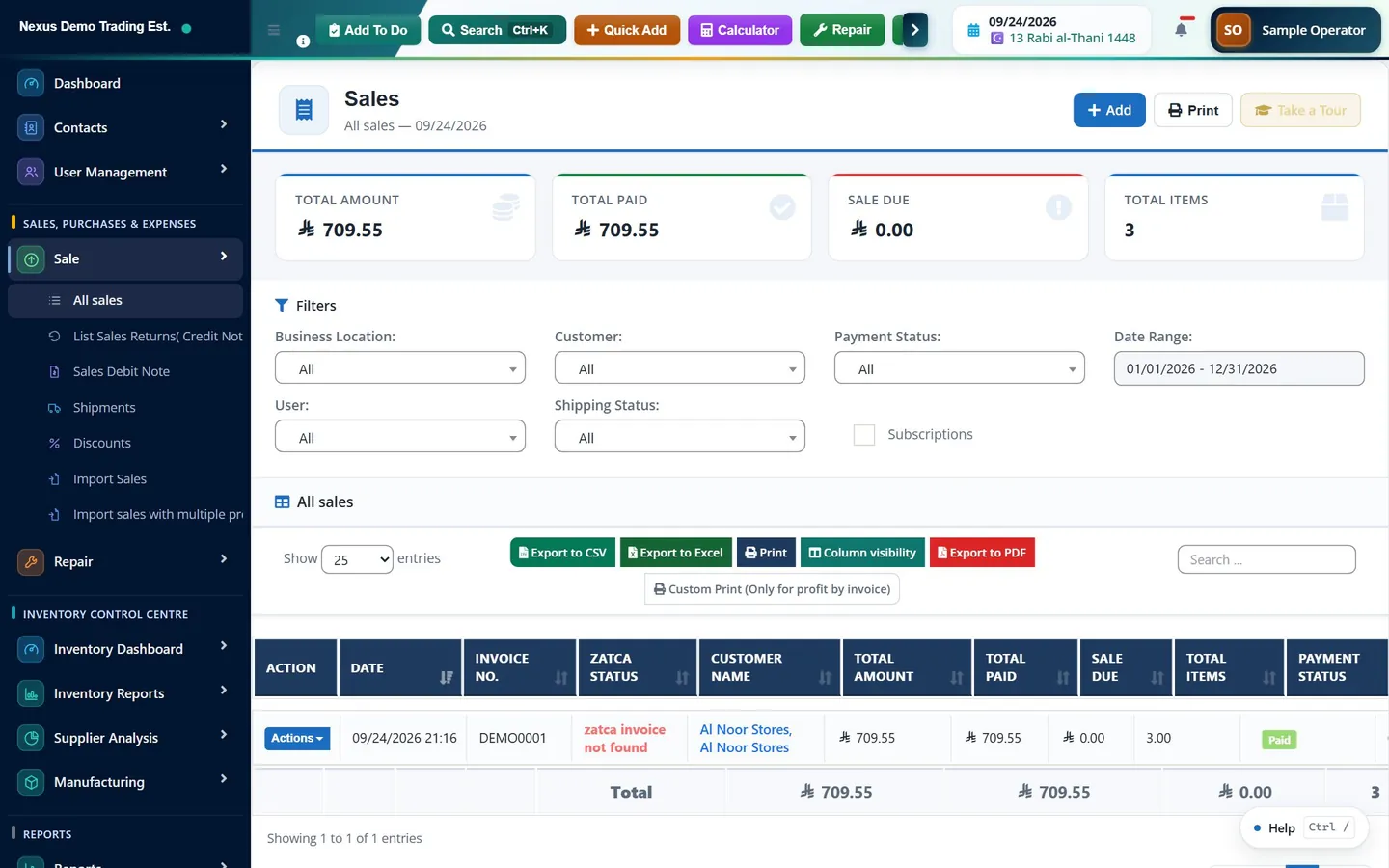
A sale can be opened for editing from the sales list. Several guards sit in front of that action and each exists for a reason.
If you do edit a document that has already posted to the ledger, here is what happens underneath, because it is worth knowing. The system compares the new content against the journal entry that is already posted. If anything material has changed, including just the date or the location, it reverses the existing entry at its original date and posts a fresh one. It does not silently amend the old entry. So the ledger ends up with three entries where there was one: the original, its reversal, and the corrected version.
That is the right behaviour and it is also the argument against editing. The ledger already knows that correcting by reversal is the only honest way to do it. If the ledger is going to do that anyway, you may as well do it deliberately with a credit note, where the reason is recorded and the customer gets a document.
- A time limit. A business setting called Transaction Edit Days sets the number of days from the transaction date until which a transaction can be edited. Past that, the system refuses with a message naming the number of days. It defaults to thirty days and it is the closest thing to a period lock on the operational side of the system, so it is worth setting deliberately rather than leaving at the default.
- An existing return. If a return has already been raised against the document, editing is refused and the message tells you to edit the return instead. Otherwise you would be changing the parent of a document that was calculated from it.
- E-invoice filing. Once an invoice has been filed with the tax authority, it is locked. The message is explicit: to correct it, issue a credit note or a debit note.
- Permissions. Editing sales and purchases are separate permissions from creating them, and a business that cares about control should not grant them to the same people by default.
Credit notes and debit notes
On the sales side, the menu entry is List Sales Returns (Credit Note), at /sell-return. A return can be raised against a specific invoice, which is the normal route: open the sale and start a return from it, or go to /sell-return/add/{id}. The return records which lines came back and how many.
A sales return puts stock back. It creates its own document with its own total and tax, and it reduces what the customer owes. In the ledger it reverses the original posting: the receivable is credited, revenue is debited, and output tax is debited. Because it is a separate document with its own date, it lands in the period in which the return actually happened rather than retrospectively changing the period the sale was in. That is exactly what you want when the sale was in a month you have already reported.
On the purchase side the equivalents are List Purchase Return, Purchase Return (Debit Note) at /purchase-return/create, and Purchase Debit Note. A purchase return reduces stock, creates a supplier credit and, in the ledger, debits the payable and credits inventory and input tax. There is also a Sales Debit Note for the case where a customer owes more, not less.
Where e-invoicing applies, this is not merely good practice, it is the mechanism the regime expects. A credit note and a debit note are themselves invoice documents with their own document types, and they are filed as such.
Deleting a transaction, and what it really does
Deleting is available from the row menu on the sales and purchase lists, subject to permission and to the same edit-days limit. What happens next depends on what the document was.
If the document is a draft, it is simply removed. Nothing had happened, so nothing needs undoing. If it is a final sale, the process is considerably more careful. Before anything is removed, every posted journal entry linked to the sale is reversed. Then each payment attached to it is deleted properly, so that the cash and the customer balance are put back. Then the stock is returned and the allocation against the purchases it came from is released. Only then is the document itself removed. Deleting a purchase behaves the same way: payments are reversed, the linked journal entries are reversed, and stock added by a received purchase is taken back out.
The order matters and there is a safeguard built into it. The reversal and the deletion happen inside one database transaction. If the reversal fails, most commonly because the period is closed, the whole thing rolls back and the document is not deleted. You cannot end up with a deleted sale whose journal entry is still posted, which is precisely the state that produces a ledger nobody can explain.
One more thing is worth knowing, because it changes how frightening the delete button ought to feel. A deleted sale is soft-deleted rather than erased. It leaves the sales list but the record survives, and it appears in the Recycle Bin, which has its own entry in the left menu and holds sales and sales orders. From there it can be restored or permanently removed, and the same tax-period guard applies on the way back in. Treat the Recycle Bin as a safety net, not as a licence to delete casually: a restore only un-deletes the document, it does not re-post the journal entries that were reversed when it was deleted, so a restored sale needs its ledger position checked.
Reversing a journal entry
For entries made directly in the ledger, the accounting module has its own correction mechanism, which is the accounting-standard one. A journal entry moves through statuses: draft, submitted, approved, posted, and finally reversed. While an entry is a draft it can be edited or deleted freely, because it has not affected anything. Once it is posted, it cannot be edited at all.
A posted entry is corrected by reversing it. The Reverse action creates a mirror-image entry, with the debits and credits swapped, on a date you choose and with a reason you record. The original stays in the ledger, marked as reversed, and the reversal is linked to it. Both appear in the general ledger and they net to zero.
There is also a Correct action, which reverses the original and takes you to a new entry so you can post the corrected version in one flow. An entry that has already been reversed cannot be reversed again, and an entry that is not posted cannot be reversed because there is nothing to reverse.
What a closed period blocks
The accounting module has fiscal periods, managed under Fiscal Periods in the Fiscal Authority menu. A period has one of three states: Open, Soft Close or Locked, and a fiscal year can additionally be closed.
The gate is checked on the date of the entry, not the date you are working. Every posting route goes through it: a sale posting to the ledger, a purchase, a payroll, a manual journal entry, and the reversal generated when you delete or edit a posted document. That last one is the important consequence and it catches people out. If you try to delete a sale that was posted into a period that is now locked, the reversal is refused and, because the whole thing runs in one transaction, the deletion is refused too.
That is the correct outcome. A closed period means the numbers have been reported, and quietly changing them afterwards is exactly what closing a period exists to prevent. The correct response is not to reopen the period but to record the correction in the current open period, using a credit note or a reversing entry dated today. The old month keeps the figures that were reported; the current month carries the correction, which is where a reader would expect to find it.
Two further points. First, the fiscal-period gate is fail-safe by design: if no fiscal periods have been defined for the business, or the date falls outside every period that has, posting is allowed. So an installation where nobody has set up fiscal periods has no period lock, and setting them up is the first step towards having one. Second, there is a separate optional lock on filed tax periods. Where it is switched on, anything dated inside a VAT period whose return has already been filed is refused, with a message explaining that the business has locked further changes to that period to keep the filed return accurate. It is off unless someone has deliberately enabled it.
- Open: postings are accepted normally.
- Soft Close: the period is closed but a posting can still be made with authorisation. The message says the period is soft-closed and authorisation is required to post.
- Locked: a hard close. The message is that the period is locked and cannot accept postings. Nothing gets through.
Who did what: the audit trail
Two separate records answer questions about changes, and they cover different ground.
The Activity Log, under Reports at /reports/activity-log and visible to administrators, records operations on source documents: a sale created, edited or deleted, with the invoice number and the user. When the question is who deleted that invoice, this is the screen.
The Audit Trail report inside the accounting module, at /accounting/reports/audit-trail, covers the ledger: entries posted, reversed and approved. When the question is why does this account move on this date, this is the screen, and it works alongside the Day Book and the General Ledger.
Neither log is optional or something you switch on afterwards, which is the point of having them. It also means that correcting by reversal rather than by amendment leaves a trail that is legible without either log, which is the best reason of all to prefer it.
Choosing the right mechanism
- A draft or quotation with a mistake: edit it. Nothing has happened yet.
- A final invoice with a typo in a note or a reference, unpaid and unfiled: edit it, within the edit-days window.
- A final invoice with the wrong quantity, price or product: raise a credit note. If it also needs reissuing, credit the original and raise a correct one.
- A customer owes more than you billed: raise a debit note.
- A sale recorded twice: delete the duplicate if the period is open and nothing else hangs off it. Otherwise credit it.
- A wrong manual journal entry that has been posted: reverse it, then post the correct one.
- Anything at all in a locked period: leave the period alone and record the correction in the current period.
Common questions
Does Skyline Nexus have a void function?
No. There is no action that marks a sale or purchase as voided while leaving it in place. Corrections are made either by deleting the document, which reverses its ledger entries, payments and stock first, or by raising a credit note, debit note or reversing journal entry. For anything that has been finalised, the note or the reversal is the right choice.
What happens to the ledger when I delete a posted sale?
Every journal entry linked to the sale is reversed before anything is removed, the payments are deleted so cash and the customer balance are put back, and the stock is returned. All of it runs inside one database transaction, so if the reversal fails because the period is closed, the deletion is rolled back too and the sale stays where it is.
Why can I not edit an invoice that is only a few weeks old?
There are four possible reasons. A business setting called Transaction Edit Days limits how long after its date a transaction can be edited. A return already raised against it blocks editing, and the message tells you to edit the return instead. An invoice filed for e-invoicing is locked permanently. And editing may simply not be included in your permissions.
What is the difference between a soft close and a lock on a fiscal period?
A soft close stops routine posting but allows an authorised posting through, and the message says authorisation is required. A lock is a hard close and refuses everything. Both are checked against the date of the entry, so they also block the reversal generated when you try to delete or edit a document that posted into that period.
How should I correct a mistake in a month that has already been closed?
Not by reopening the month. Record the correction in the current open period, using a credit note or a reversing journal entry dated today. The closed month keeps the figures that were reported and the current month carries the correction, which is where anyone reading the accounts would expect to find it.
This guide is general information, not tax, accounting or legal advice. Rules differ from country to country and change over time; confirm the current position with your tax authority or a qualified adviser before acting on anything here.
Ready to run your operation on a single workspace?